
PhishStrike
اللهم انفعنا بما علَّمتنا، وعلِّمنا ما ينفعنا، وزِدنا علمًا وفقهًا وفهمًا
Date: 21/11/2025
By: Y0un15
Lab’s link: PhishStrike – CyberDefenders
1. Scenario:
As a cybersecurity analyst at an educational institution, you receive an alert about a phishing email targeting faculty members. The email appears to be from a trusted contact and claims a $625,000 purchase, providing a link to download an invoice.
Your task is to investigate the email using Threat Intel tools. Analyze the email headers and inspect the link for malicious content. Identify any Indicators of Compromise (IOCs) and document your findings to prevent potential fraud and educate faculty on phishing recognition.
2. Pre-Investigation:
I began by examining the eml file to identify any suspicious things using any eml header analyzer or opening it in a text editor.
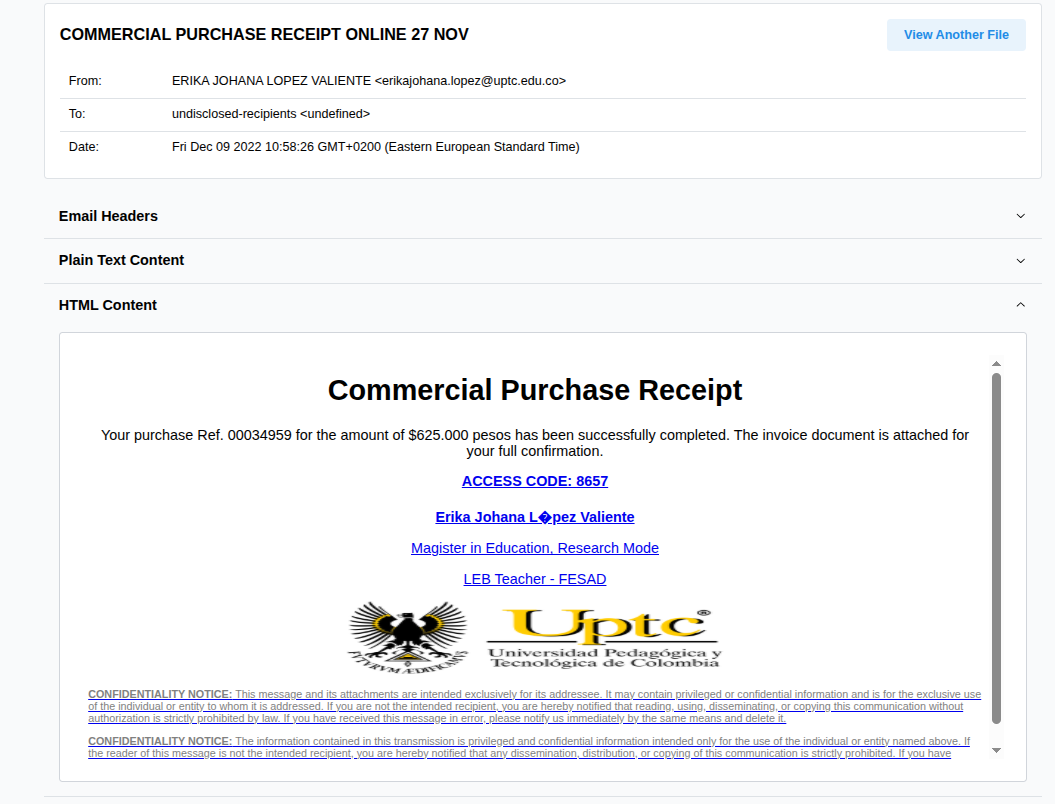
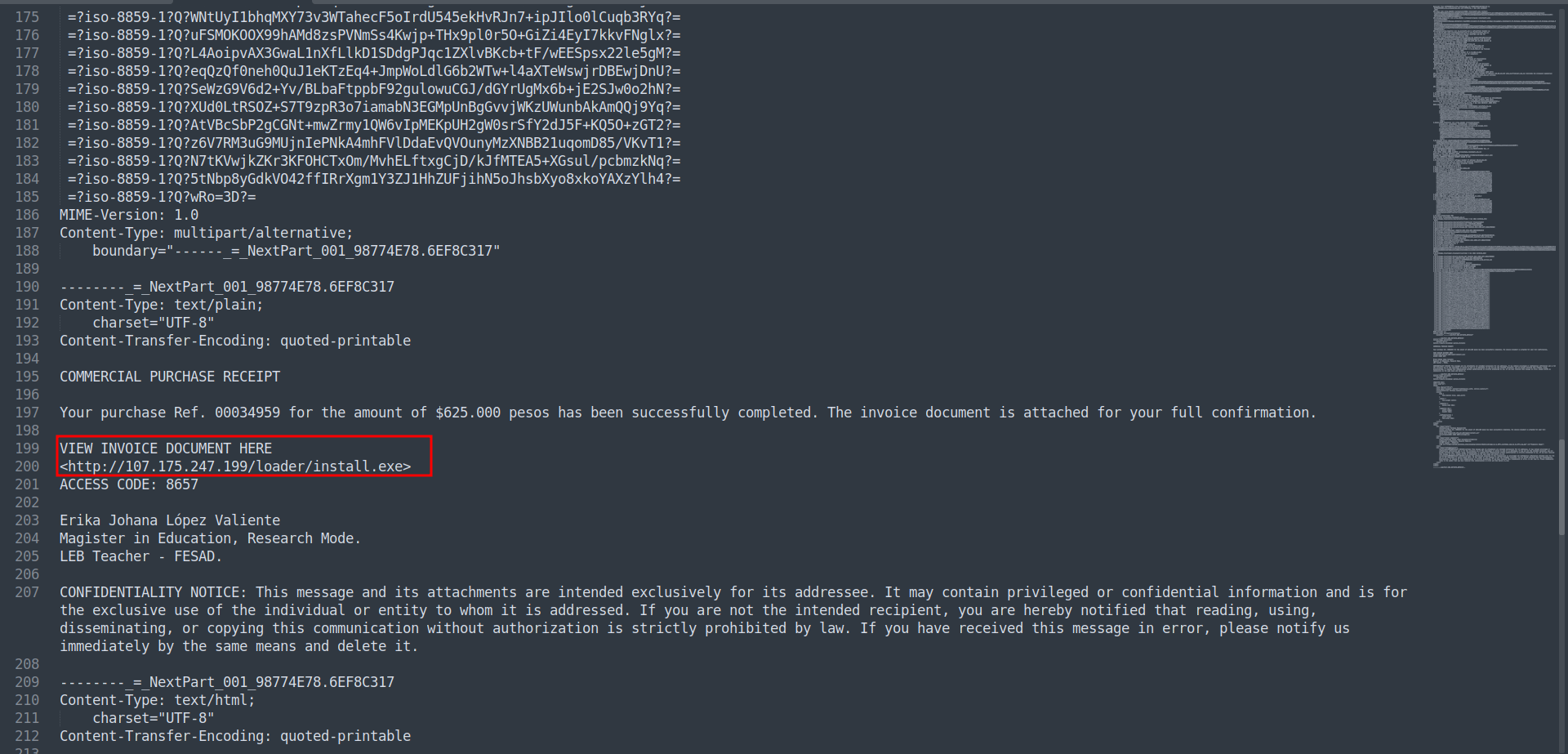 As you can see, this is a malicious file.
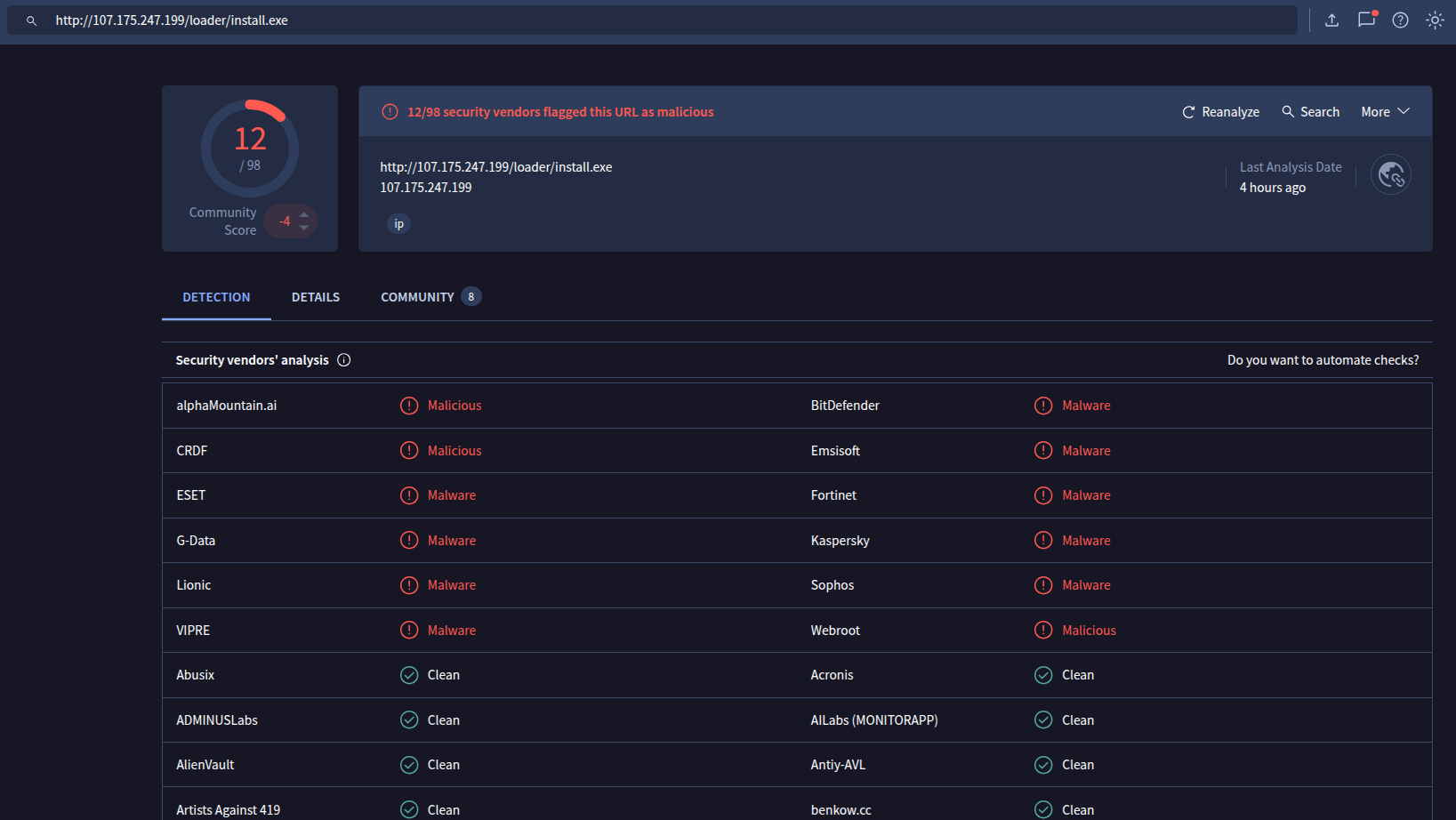
So let’s dive into the questions.
3. Challenge Questions:
🔹 Identifying the sender’s IP address with specific SPF and DKIM values helps trace the source of the phishing email. What is the sender’s IP address that has an SPF value of softfail and a DKIM value of fail?
🔹 Understanding the return path of an email is essential for tracing its origin. What is the return path specified in this email?
🔹 Identifying the source of malware is critical for effective threat mitigation and response. What is the IP address of the server hosting the malicious file related to malware distribution?
🔹 Identifying malware that exploits system resources for cryptocurrency mining is critical for prioritizing threat mitigation efforts. The malicious URL can deliver several malware types. Which malware family is responsible for cryptocurrency mining?
🔹 Identifying the specific URLs malware requests is key to disrupting its communication channels and reducing its impact. Based on the previous analysis of the cryptocurrency malware sample, what does this malware request the URL?
🔹 Understanding the registry entries added to the auto-run key by malware is crucial for identifying its persistence mechanisms. Based on the BitRAT malware sample analysis, what is the executable’s name in the first value added to the registry auto-run key?
🔹 Identifying the SHA-256 hash of files downloaded from a malicious URL is essential for tracking and analyzing malware activity. Based on the BitRAT analysis, what is the SHA-256 hash of the file previously downloaded and added to the autorun keys?
🔹 Analyzing the HTTP requests made by malware helps in identifying its communication patterns. What is the URL in the HTTP request used by the loader to retrieve the BitRAT malware?
🔹 Introducing a delay in malware execution can help evade detection mechanisms. What is the delay (in seconds) caused by the PowerShell command according to the BitRAT analysis?
🔹 Tracking the command and control (C2) domains used by malware is essential for detecting and blocking malicious activities. What is the C2 domain used by the BitRAT malware?
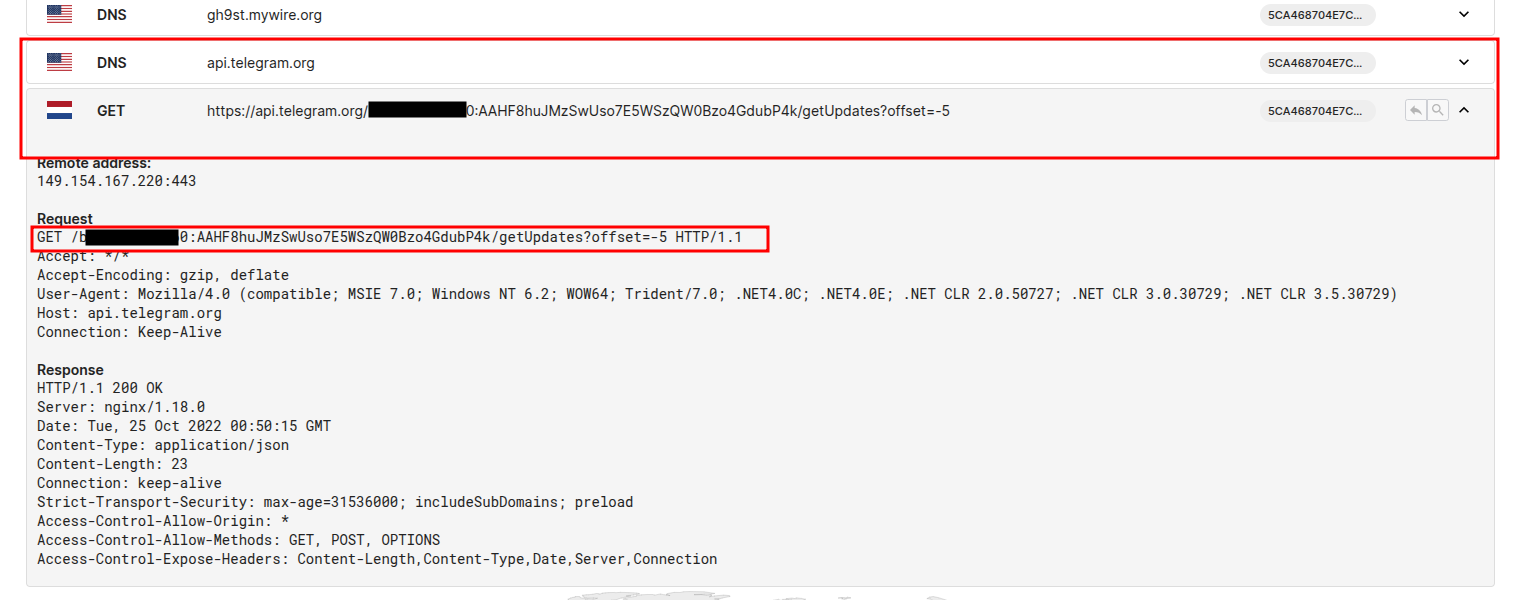
🔹 Understanding how malware exfiltrates data is essential for detecting and preventing data breaches. According to the AsyncRAT analysis, what is the Telegram Bot ID used by this malware?
4. Walking through the Questions:
🔹 Q1 — The sender’s IP address
Opening the file in a text editor and searching for softfail or using the terminal to search for it.

🔹 Q2 — The return path
Searching for return, you will get the email.
🔹 Q3 — The IP address of the server
As we saw in the previous investigation:
http://107.175.247.199/loader/install.exe
so the host should be 107.175.247.199
🔹 Q4 — Which malware family
Using this website and searching with the URL we got previously.
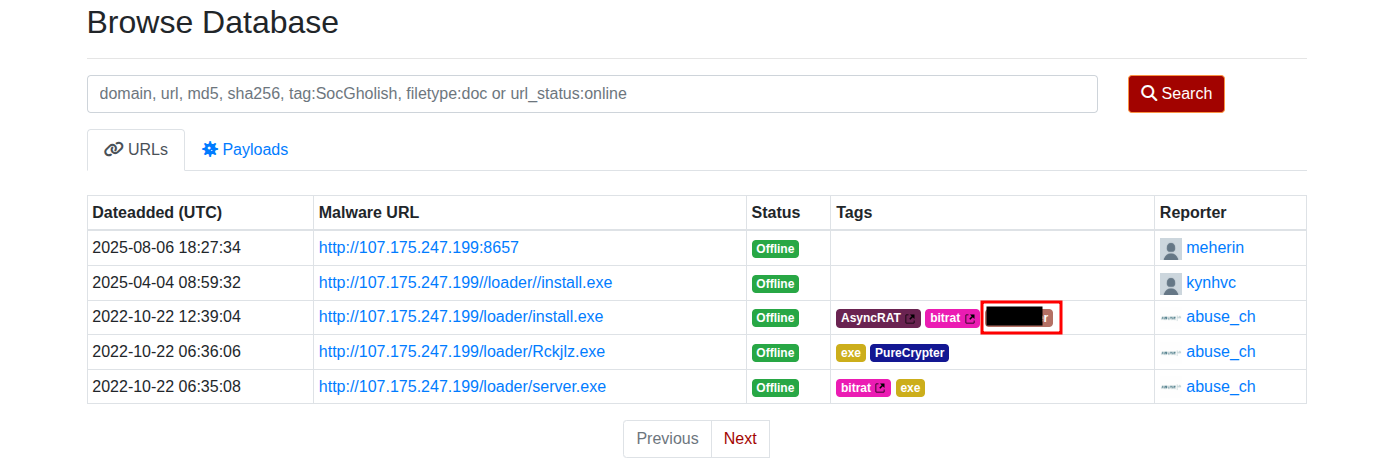
Or you can guess it though ;)
🔹 Q5 — Request malware URL
Following the previous ID you will get more details about the entry.
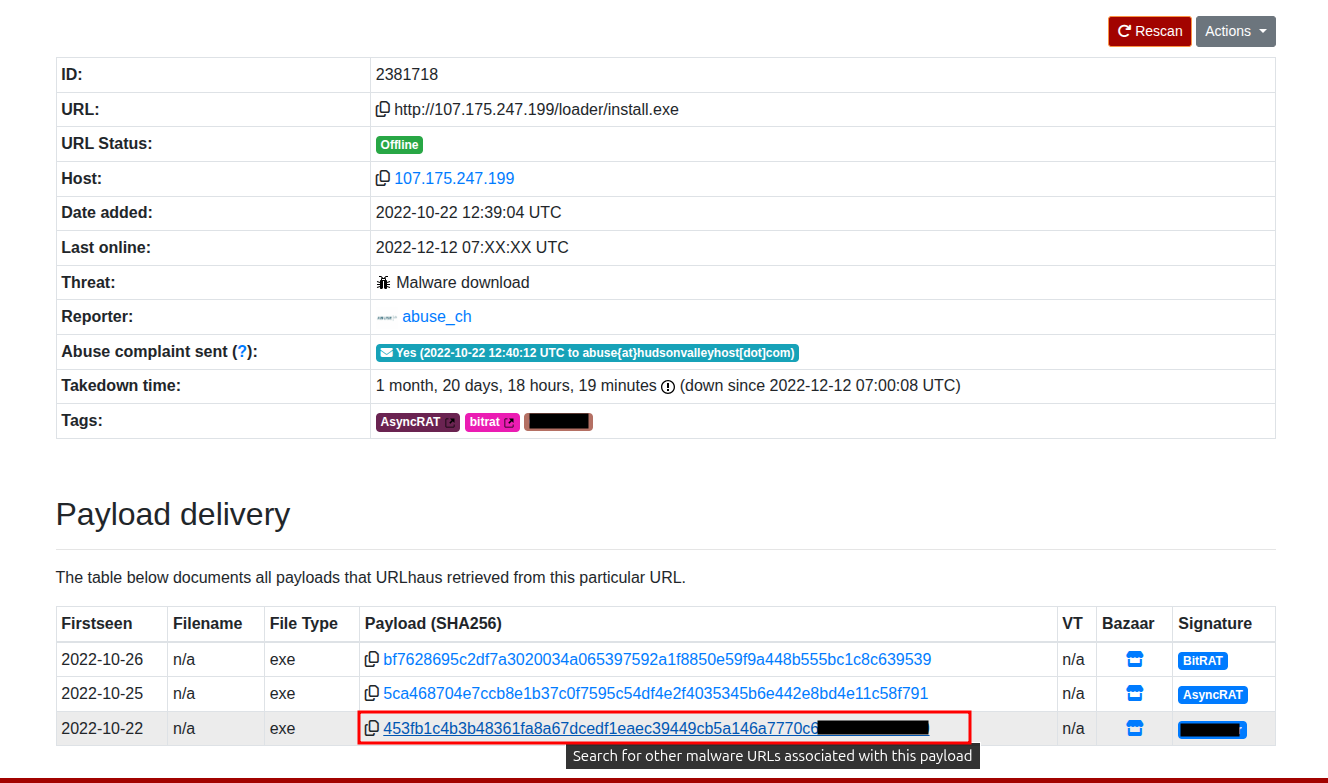
Copying this SHA-256 and searching with it on VirusTotal then going to Relations you will see the URL.
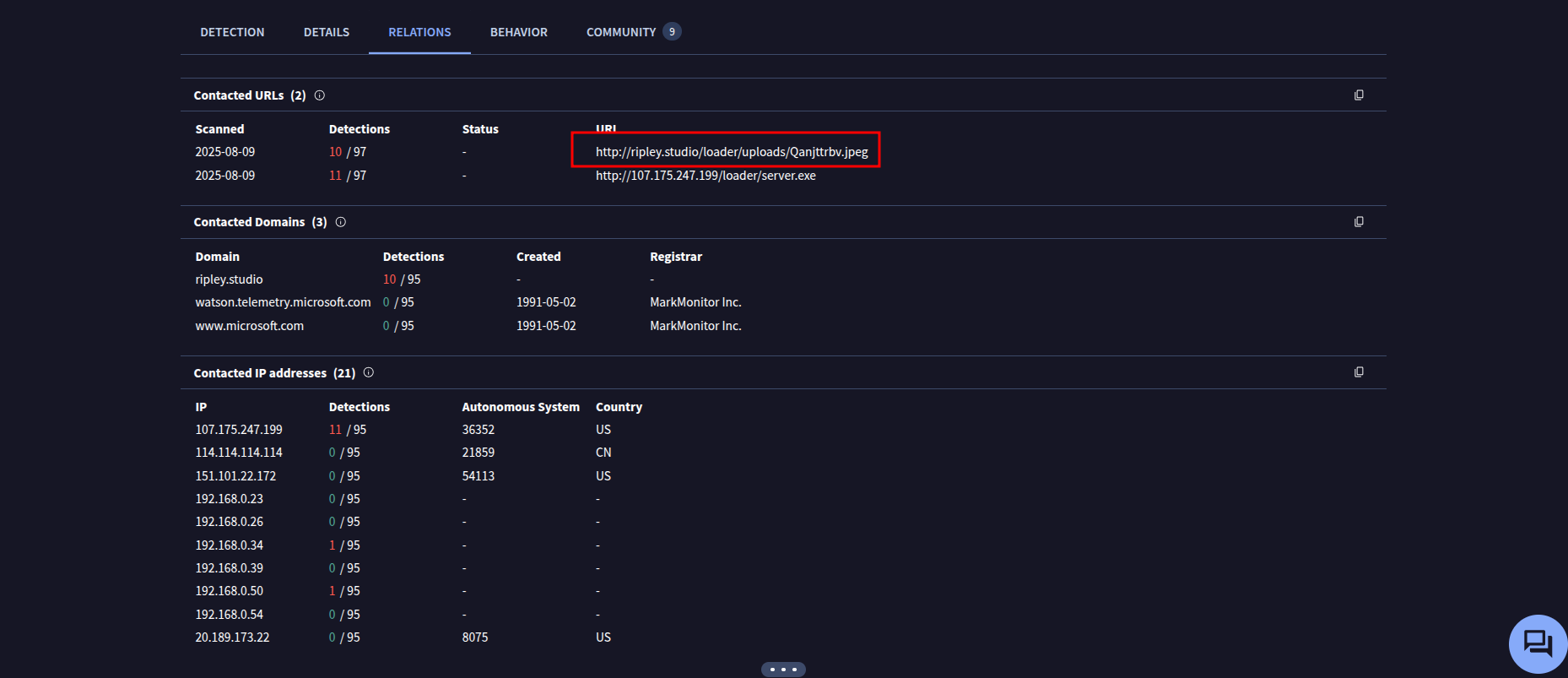
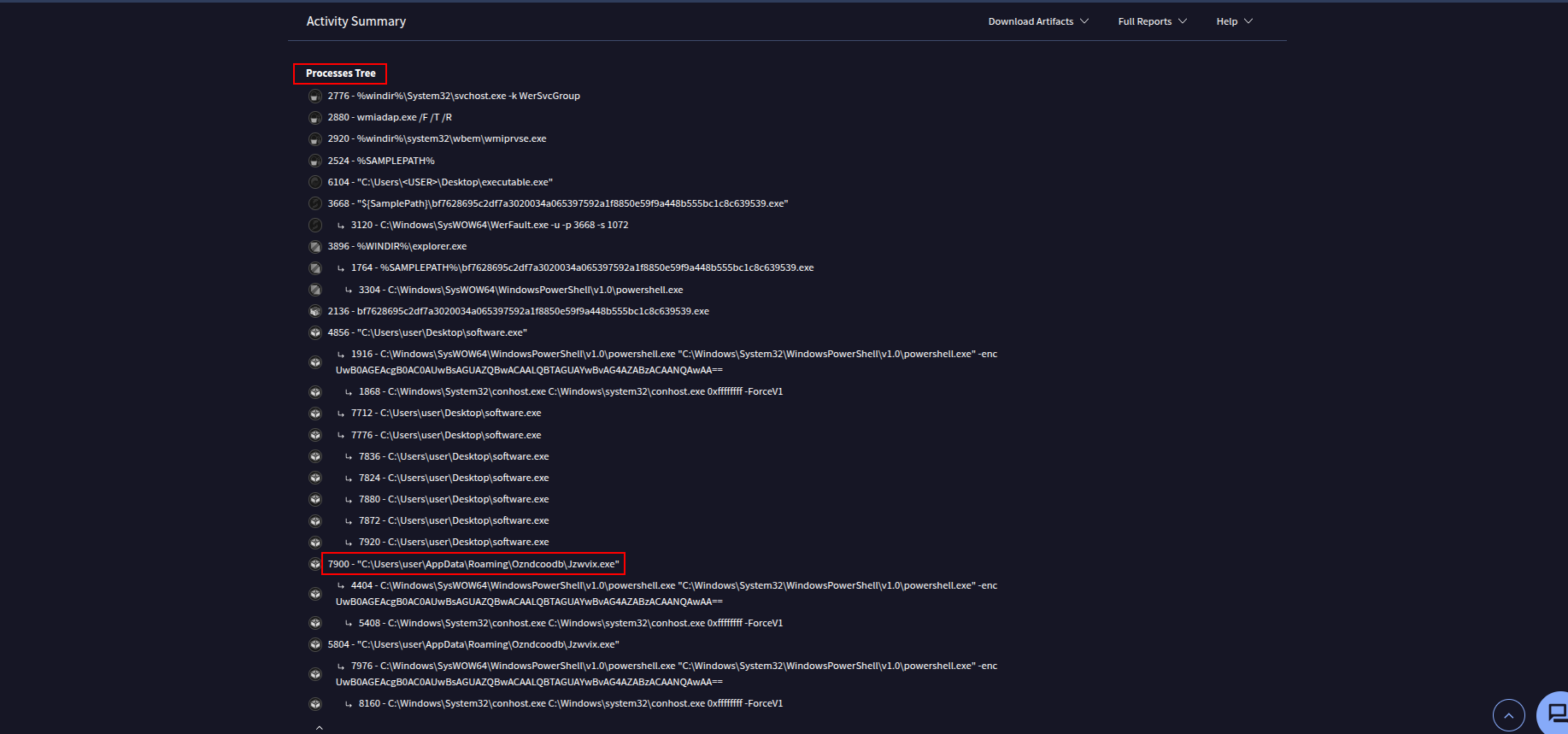
🔹 Q6 — What is the executable’s name?
Back to urlhaus to get the BitRAT hash bf7628695c2df7a3020034a065397592a1f8850e59f9a448b555bc1c8c639539 and searching with it on VirusTotal.
We need to get the first value added to the registry auto-run key, so going to the Behavior section then down to the Processes tree to get more information about what the malware did.
🔹 Q7 — SHA-256 hash of the file previously downloaded
It should be the same hash that we got from urlhaus for the BitRAT malware. bf7628695c2df7a3020034a065397592a1f8850e59f9a448b555bc1c8c639539
🔹 Q8 — What is the URL in the HTTP request used by the loader?
I found this beautiful report and at the behavior you can see what HTTP request used by the loader to retrieve the BitRAT malware.
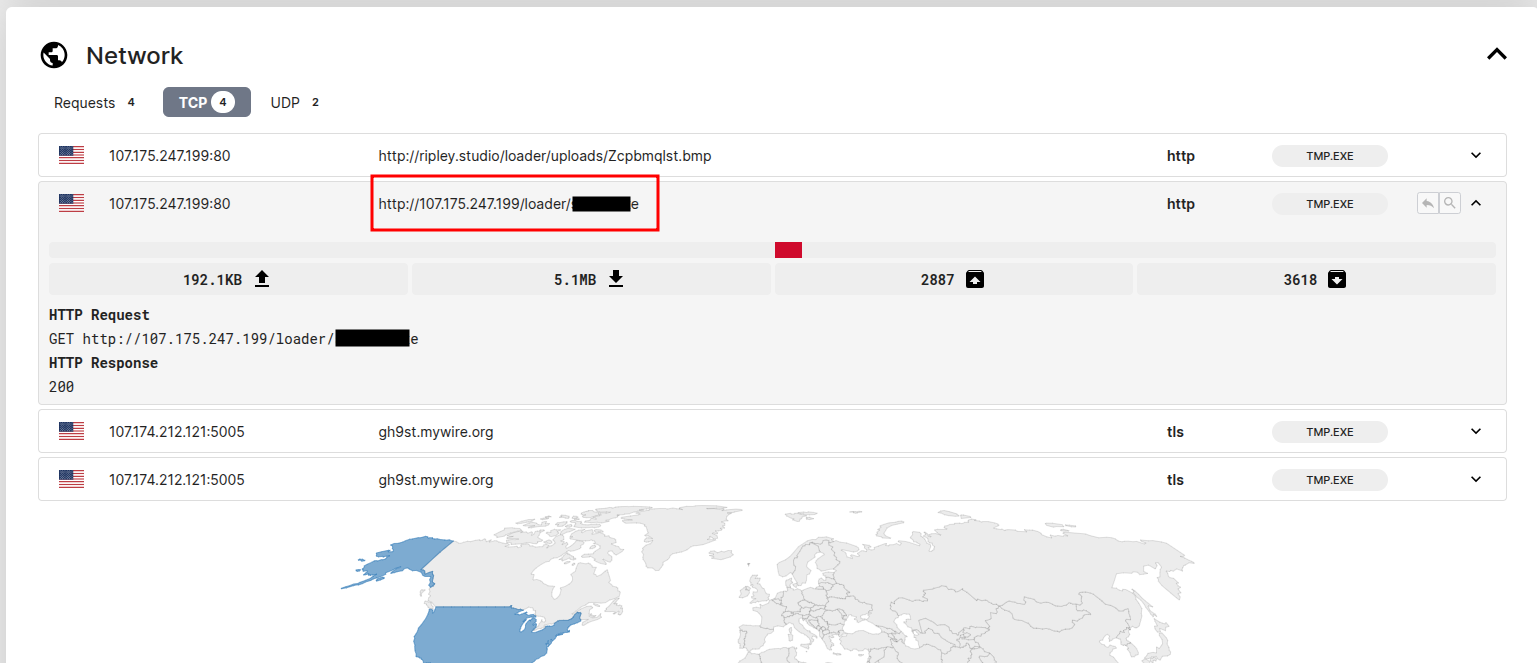
🔹 Q9 — What is the delay?
On the same report at the Processes you can see this suspicious command:
"C:\Windows\System32\WindowsPowerShell\v1.0\powershell.exe" -enc UwB0AGEAcgB0AC0AUwBsAGUAZQBwACAALQBTAGUAYwBvAG4AZABzACAANQAwAA==
And after decoding this base64 you will get the sleeping time.
🔹 Q10 — What is the C2 domain used by the BitRAT malware?

🔹 Q11 — what is the Telegram Bot ID used by this malware?
Back to urlhaus to get the hash of the signature AsyncRAT 5ca468704e7ccb8e1b37c0f7595c54df4e2f4035345b6e442e8bd4e11c58f791
by searching with it on BitRAT you will get this report then going to Network section you will see the requests which the bot telegram was one of them .
And that’s all for today’s write-up!
I hope you enjoyed it — see you in the next one! 👋🏻