
BRabbit
اللَّهُمَّ إِنِّي أَسْأَلُكَ عِلْمًا نَافِعًا، وَرِزْقًا طَيِّبًا، وَعَمَلًا مُتَقَبَّلًا
Date: 10/10/2025
By: Y0un15
Labs’s link : Link
1-Scenario:
You are an investigator assigned to assist Drumbo, a company that recently fell victim to a ransomware attack. The attack began when an employee received an email that appeared to be from the boss. It featured the company’s logo and a familiar email address. Believing the email was legitimate, the employee opened the attachment, which compromised the system and deployed ransomware, encrypting sensitive files. Your task is to investigate and analyze the artifacts to uncover information about the attacker.
2. Pre Investigation
The challenge provides a single file named Urgent Contract Action.eml.
To inspect it, I searched online for an EML file viewer, and used Folge’s Email Viewer to examine its content.
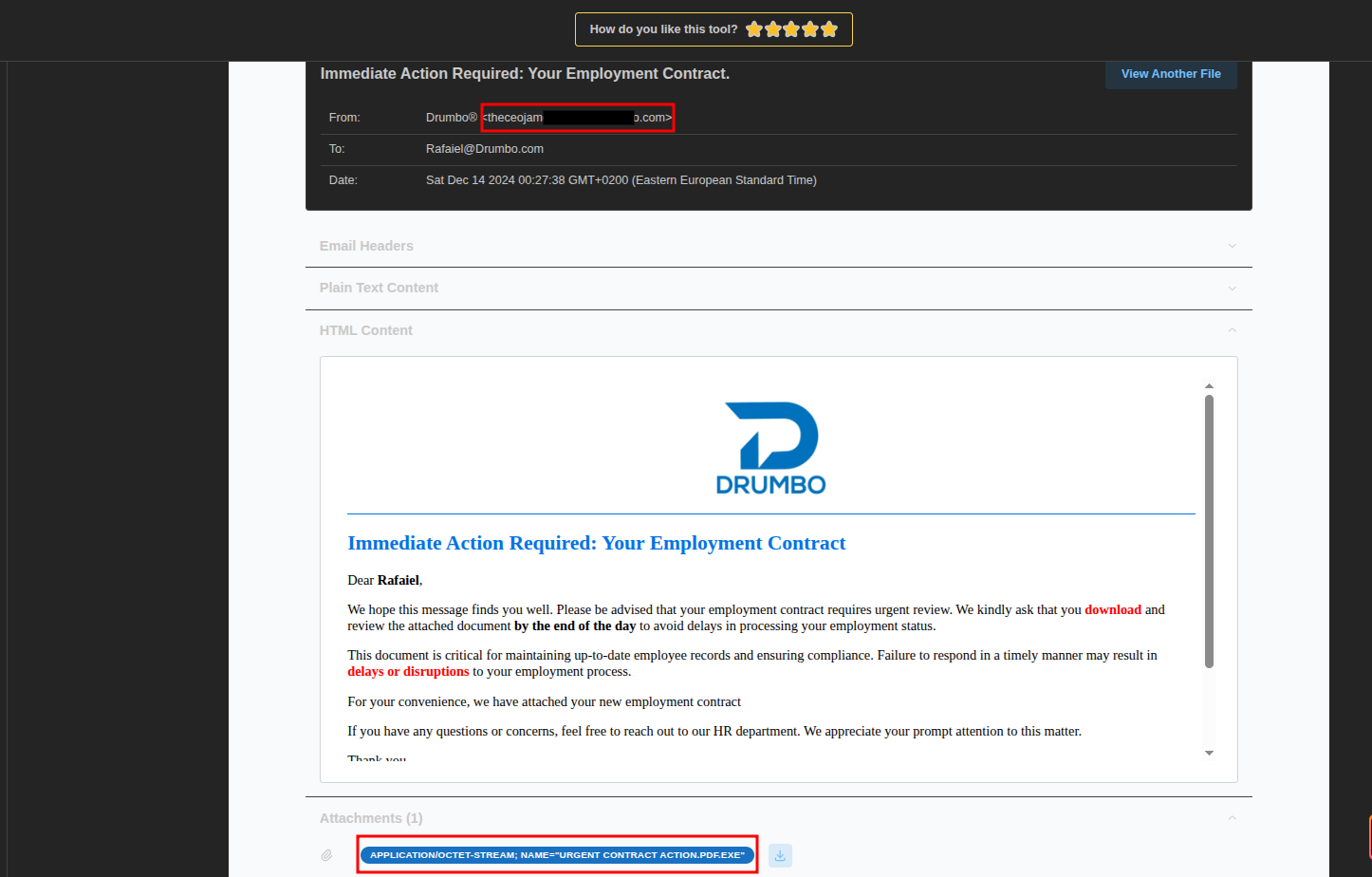
The analysis revealed:
- A suspicious sender email address
- The malicious attachment
- Other relevant metadata such as headers and message structure
After downloading the attachment and analyzing it, I discovered it was a PE32 executable file.
Next, I calculated its SHA-256 hash and searched for it on VirusTotal.
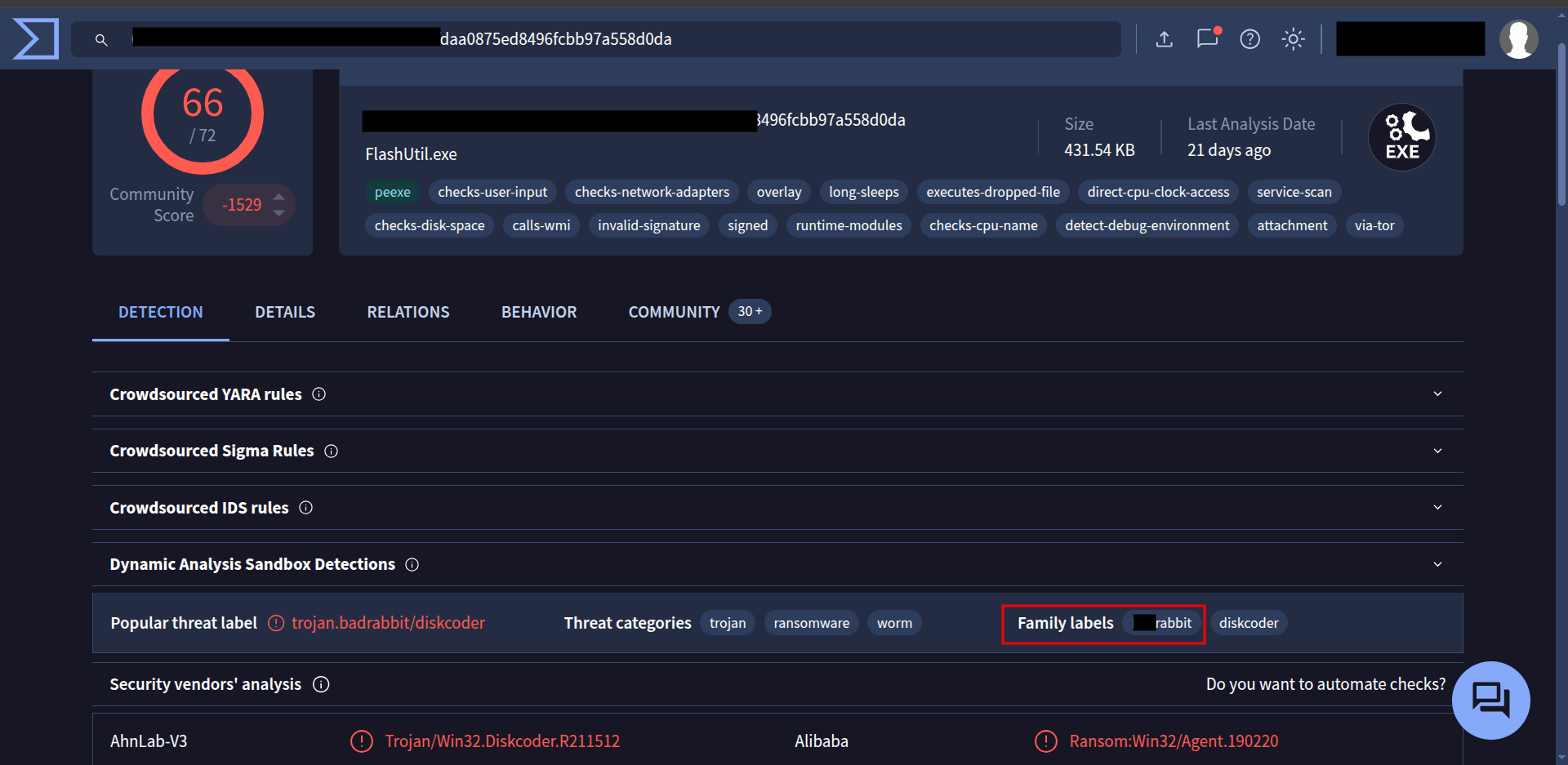
This gave me multiple detections and threat labels — perfect to begin our detailed investigation.
3. Challenge Questions:
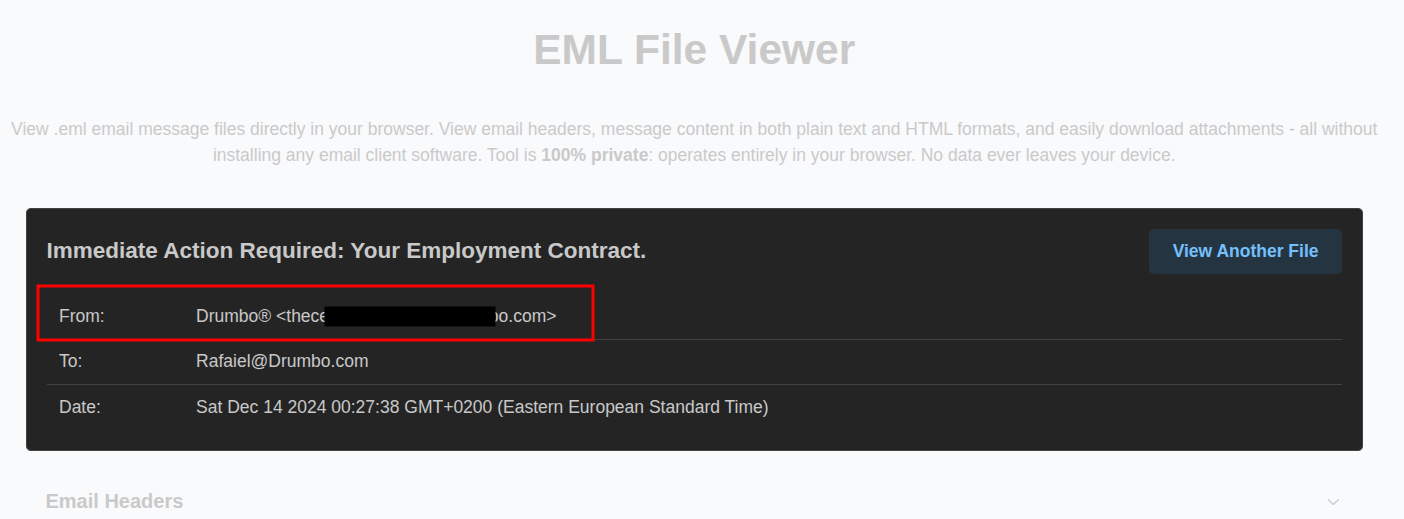
#The phishing email used to deliver the malicious attachment showed several indicators of a potential social engineering attempt. Recognizing these indicators can help identify similar threats in the future. What is the suspicious email address that sent the attachment?
#The ransomware was identified as part of a known malware family. Determining its family name can provide critical insights into its behavior and remediation strategies. What is the family name of the ransomware identified during the investigation?
#Upon execution, the ransomware dropped a file onto the compromised system to initiate its payload. Identifying this file is essential for understanding its infection process. What is the name of the first file dropped by the ransomware?
#Inside the dropped file, the malware contained hardcoded artifacts, including usernames and passwords that could provide clues about its origins or configuration. What is the only person’s username found within the dropped file?
#After execution, the ransomware communicated with a C2 server. Recognizing its communication techniques can assist in mitigation. What MITRE ATT&CK sub-technique describes the ransomware’s use of web protocols for sending and receiving data?
#Persistence mechanisms are a hallmark of sophisticated ransomware. Identifying how persistence was achieved can aid in recovery and prevention of reinfection. What is the MITRE ATT&CK Sub-Technique ID associated with the ransomware’s persistence technique?
#As part of its infection chain, the ransomware created specific tasks to ensure its continued operation. Recognizing these tasks is crucial for system restoration. What are the names of the tasks created by the ransomware during execution?
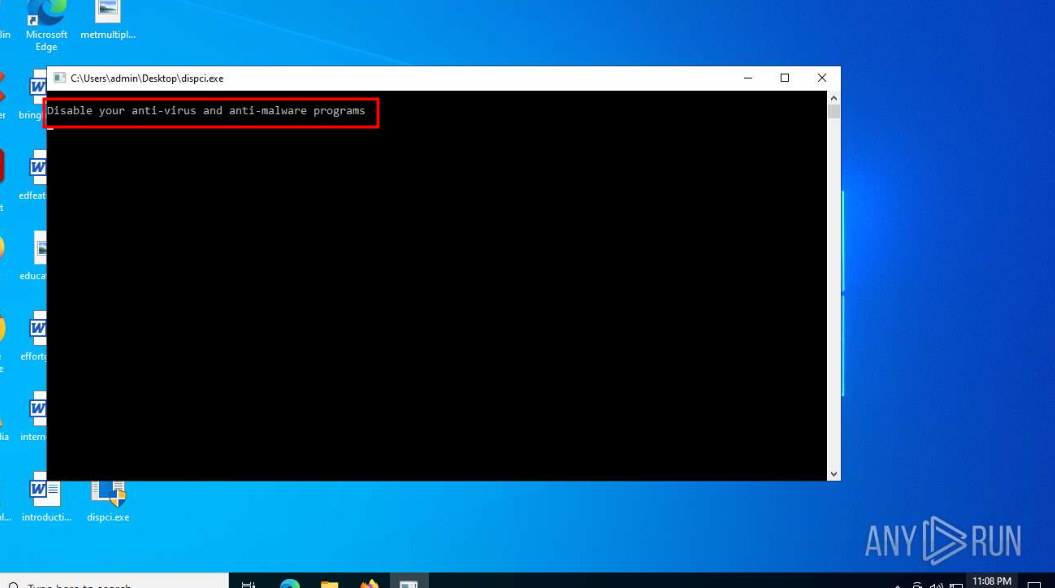
#the malicious binary dispci.exe displayed a suspicious message upon execution, urging users to disable their defenses. This tactic aimed to evade detection and enable the ransomware’s full execution. What suspicious message was displayed in the Console upon executing this binary?
#To modify the Master Boot Record (MBR) and encrypt the victim’s hard drive, the ransomware utilized a specific driver. Recognizing this driver is essential for understanding the encryption mechanism. What is the name of the driver used to encrypt the hard drive and modify the MBR?
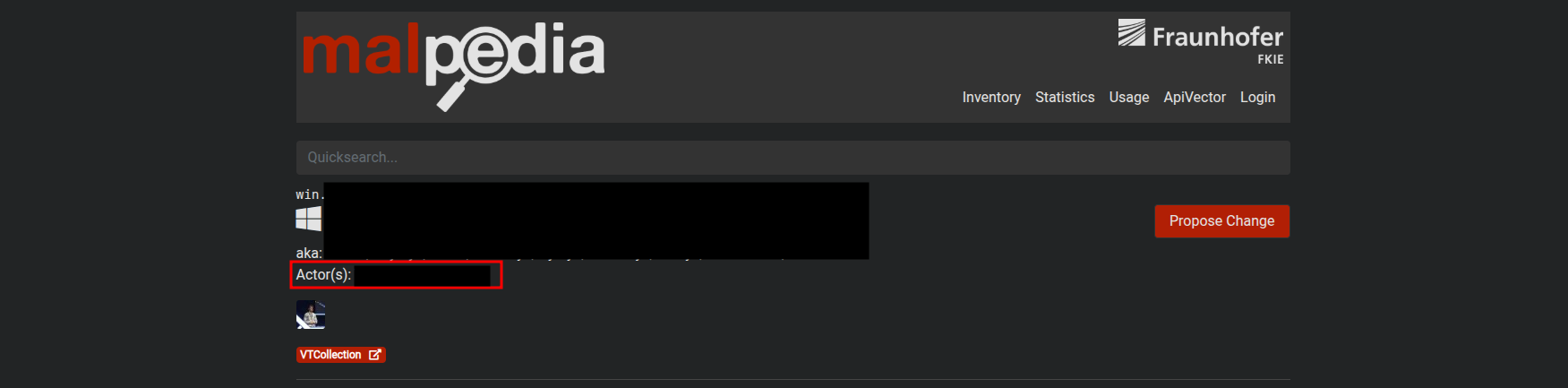
#Attribution is key to understanding the threat landscape. The ransomware was tied to a known attack group through its tactics, techniques, and procedures (TTPs). What is the name of the threat actor responsible for this ransomware campaign?
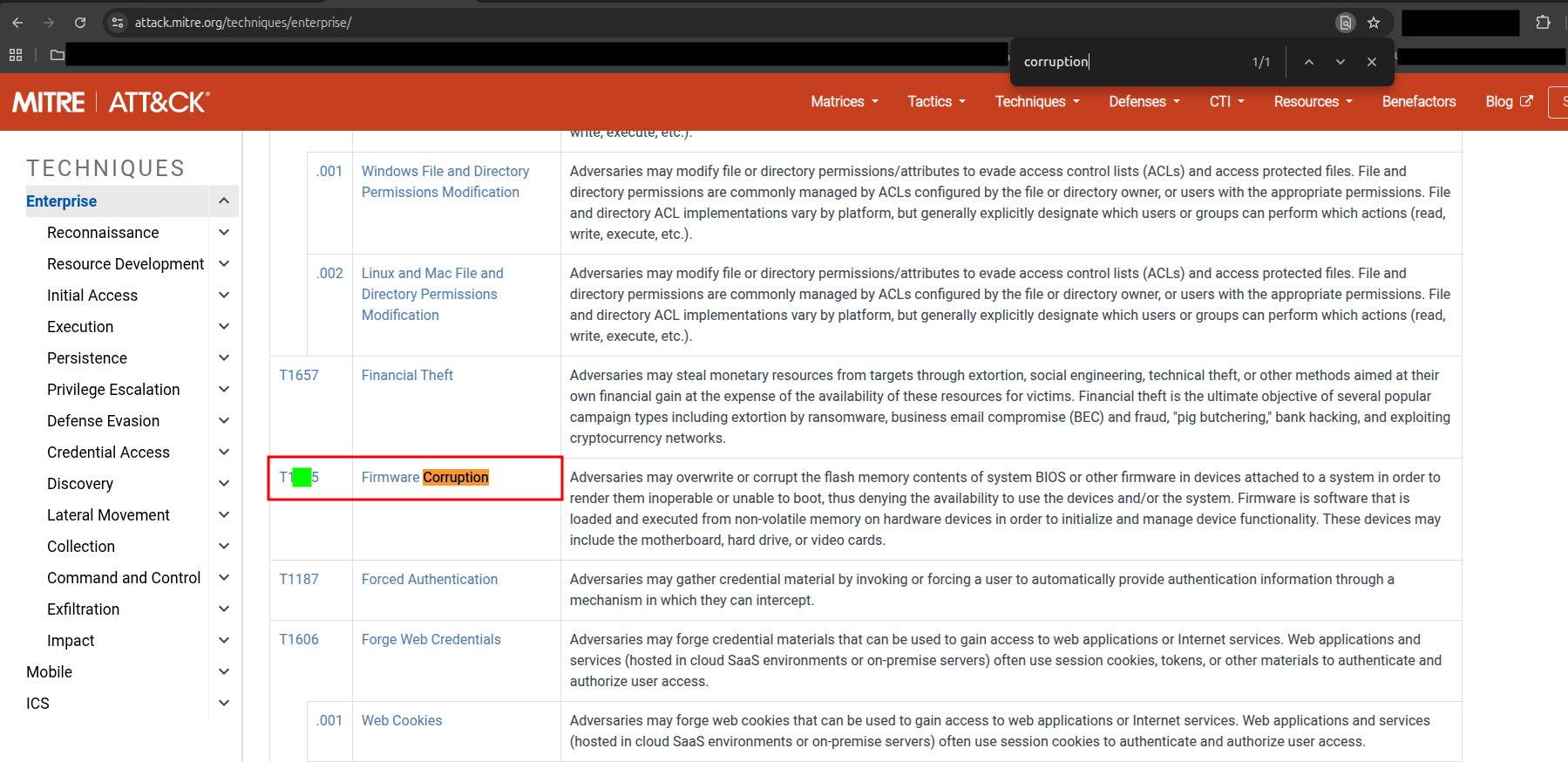
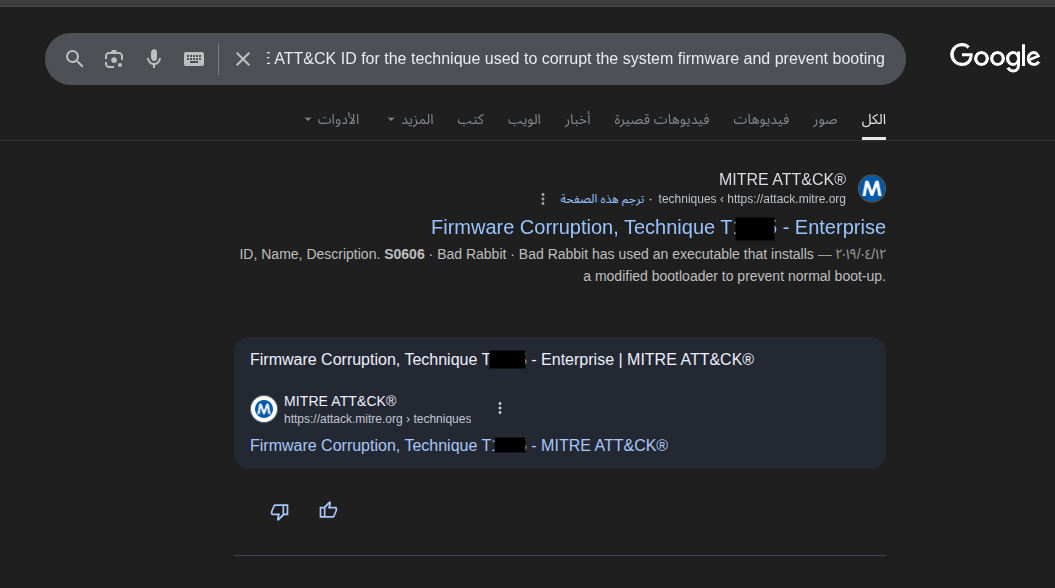
#The ransomware rendered the system unbootable by corrupting critical system components. Identifying the technique used provides insight into its destructive capabilities. What is the MITRE ATT&CK ID for the technique used to corrupt the system firmware and prevent booting?
4-Walking through the Questions :
🔹 Q1 — The suspicious email address
After uploading the .eml file to the viewer, the malicious sender’s address was clearly visible:
🔹 Q2 — The family name of the ransomware
On VirusTotal, under the Detection → Popular Threat Label section, we can see the ransomware family name:
🔹 Q3 — First File Dropped by the Ransomware
To determine this, I executed the sample in a sandbox environment (ANY.RUN).
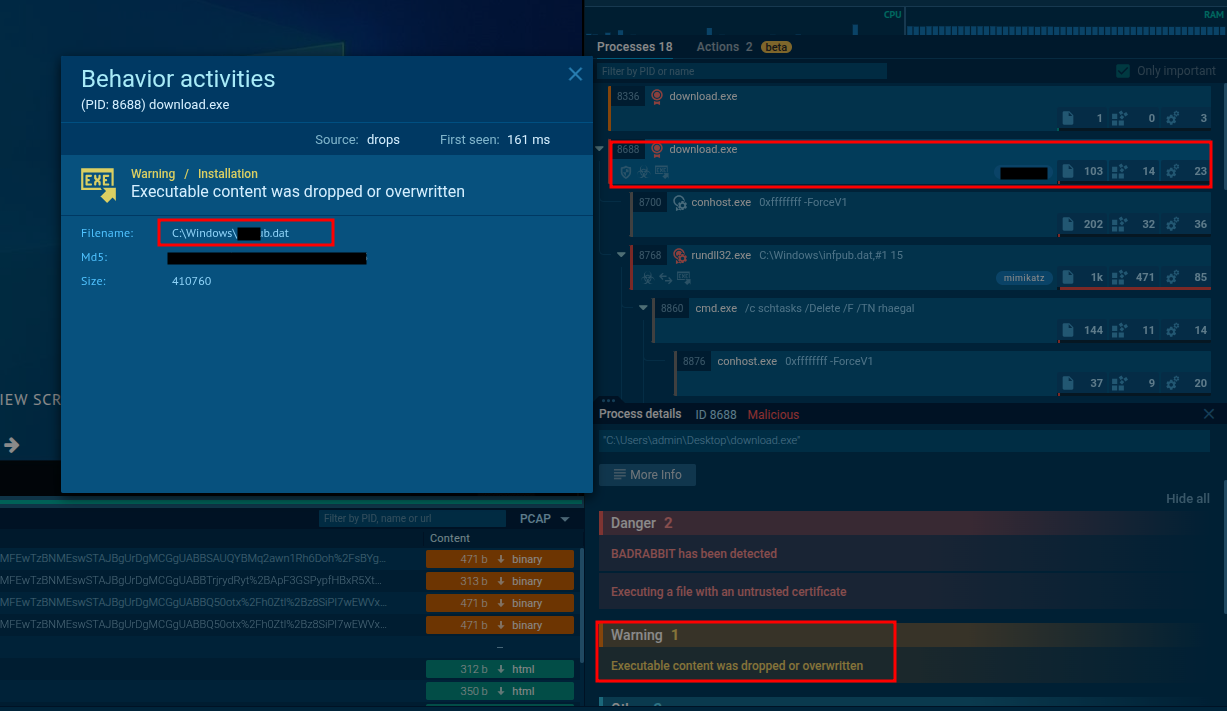
As shown, the ransomware drops its payload file early during execution.
This information can also be confirmed through public reports or technical blogs analyzing this ransomware family.
🔹 Q4 — The only person’s username
At first, this seemed tricky — but after researching the ransomware’s behavior, it became clear.
The infpub.dat file, used by this ransomware, contains hardcoded credentials, including usernames and passwords.
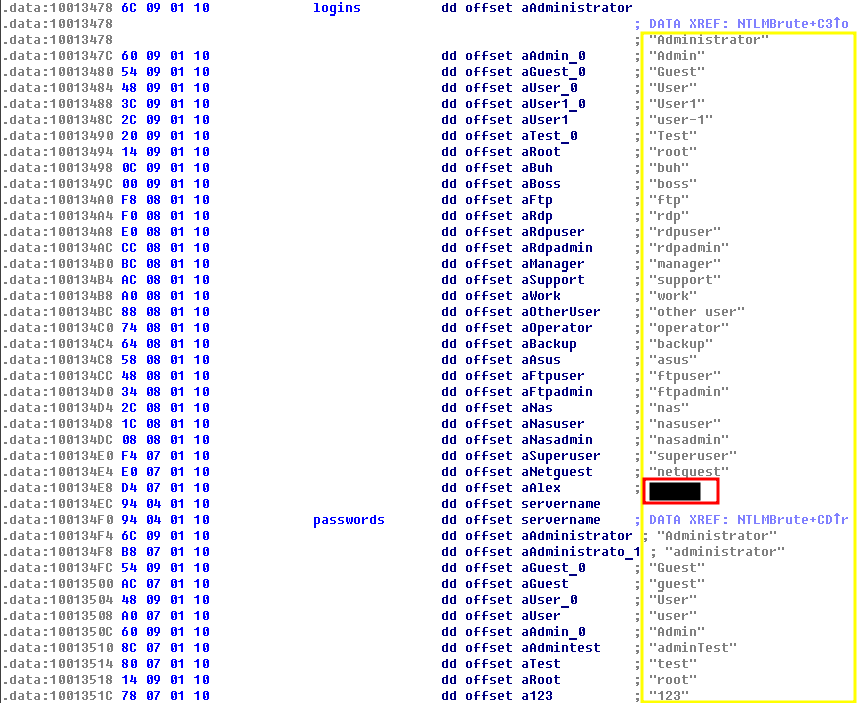
Among these, there is only one human username taht matches the format, which is the answer
🔹 Q5 — MITRE ATT&CK Sub-Technique (Web Protocols)
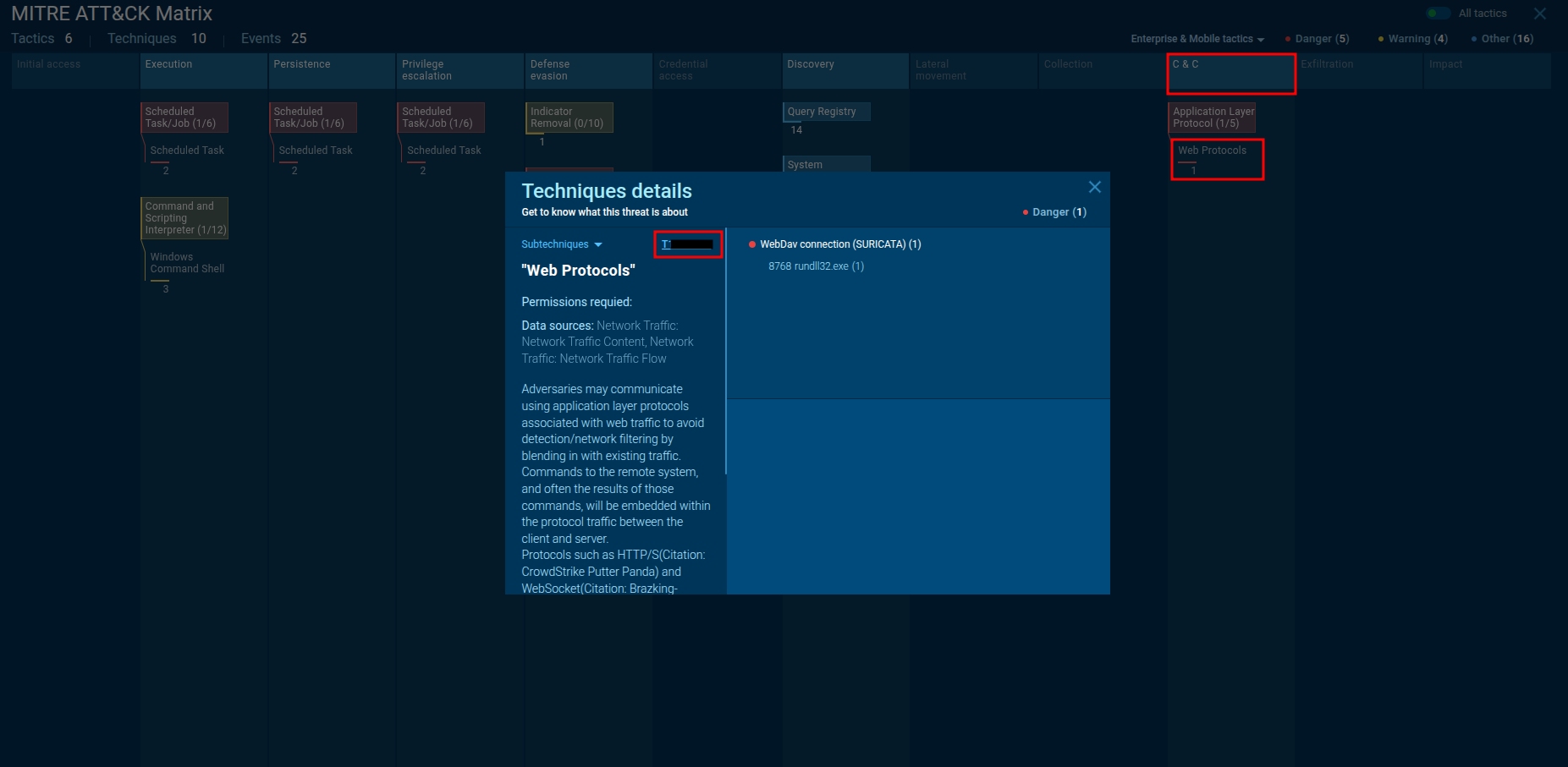
By checking the ATT&CK mapping in the ANY.RUN report, under
Command & Control → Web Protocols,
we find the relevant MITRE sub-technique describing how the ransomware uses web traffic for communication.
🔹 Q6 — MITRE ATT&CK Sub-Technique (Persistence)
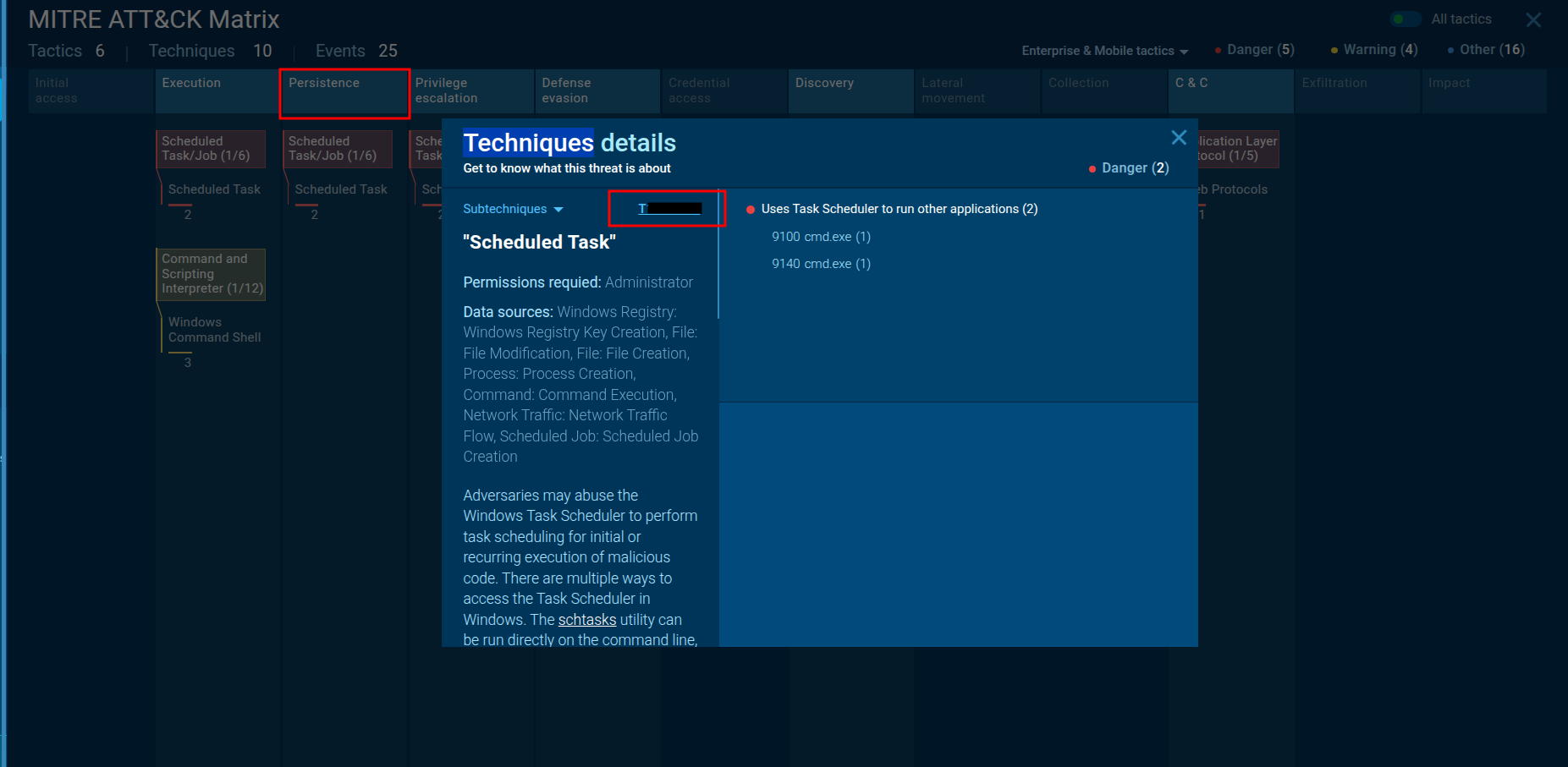
Similarly, under the Persistence category in the ATT&CK tab, the associated sub-technique ID can be found.
This technique explains how the ransomware ensures it stays active after reboots.
🔹 Q7 — Scheduled Tasks Created During Execution
You can determine the scheduled tasks either by searching for information about the ransomware or by analyzing the from AnyRun.
From the sandbox report, two scheduled tasks were observed being created during execution:
schtasks /Create /RU SYSTEM /SC ONSTART /TN rhaegal /TR "C:\WINDOWS\system32\cmd.exe /C Start \"\" \"C:\Windows\dispci.exe\" -id 2223014957 && exit"

schtasks /Create /SC once /TN drogon /RU SYSTEM /TR "C:\WINDOWS\system32\shutdown.exe /r /t 0 /f" /ST 22:55:00
Now you get the two Scheduled Task you need, just to put them in the specific formate.
🔹 Q8 — Console Message
I did some searching about the attack and find this img in one of the Blogs
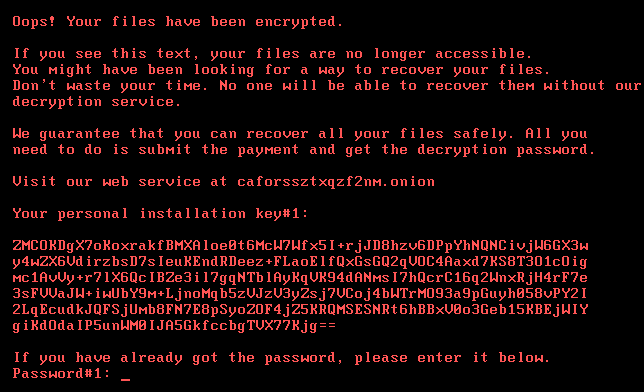
Alternatively, by uploading the dispci.exe sample to AnyRun, you can directly observe the same console message in the process output window:
🔹 Q9 — Driver Used to Encrypt the Hard Drive
The driver can be identified by static or dynamic analysis of dispci.exe.
However, researching existing technical reports is a faster and equally method.
According to this detailed report, the ransomware uses the DiskCryptor open-source software driver to encrypt the disk at a low level.
🔹 Q10 — Threat Actor Behind the Campaign
By using the hash of the original ransomware file and searching it on Malpedia, we can fnid the Threat Actor.
🔹 Q11 — MITRE ATT&CK ID for Firmware Corruption Technique
You can easily locate the corresponding MITRE ATT&CK ID by searching for “firmware corruption” on the MITRE website
or simply googling it.
And that’s all for today’s write-up!
I hope you enjoyed it — see you in the next one! 👋🏻
اللهم انفعنا بما علَّمتنا، وعلِّمنا ما ينفعنا، وزِدنا علمًا وفقهًا وفهمًا